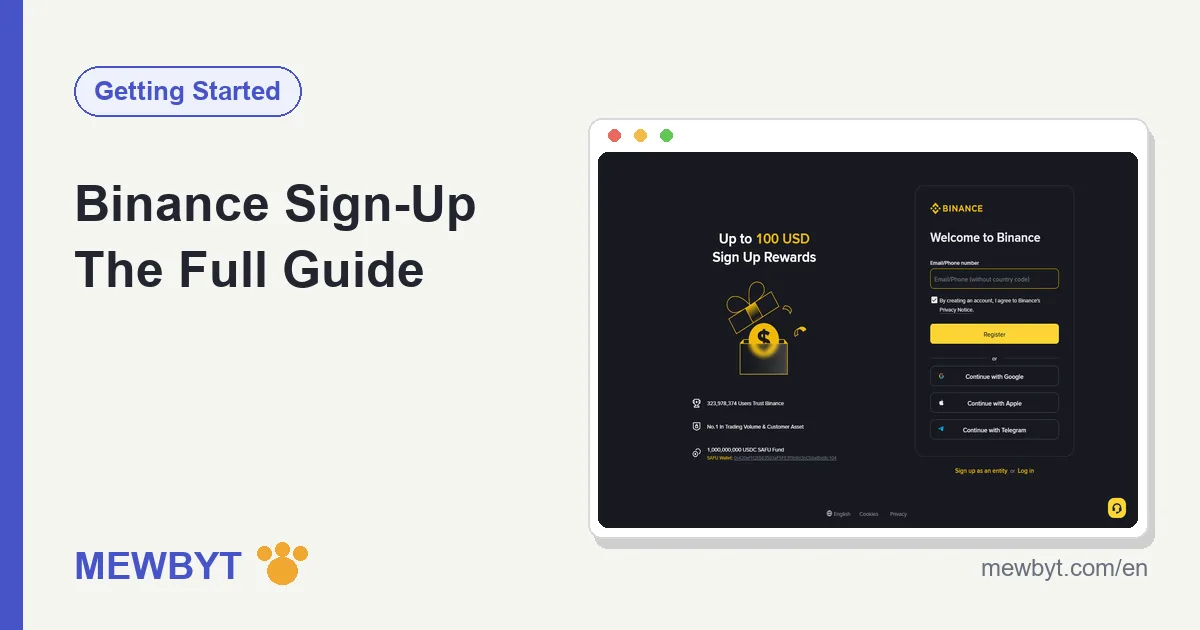
Signing up for a Binance account, from typing in your email to being ready to trade, takes around fifteen minutes when everything goes smoothly, and it is free from start to finish. The catch is that "smoothly" is not a given for everyone. The verification code that never arrives, the app that will not download, the face scan that keeps spinning: any one of them can leave a beginner stranded halfway. This guide follows the exact flow we walked through ourselves, covering what to tap at each step, what to watch out for, and what to do when you get stuck, all in one place.
This article covers the global version of Binance (Binance.com), written for people in regions where its official services work normally. If you live in the United States, Binance.com is not open to you and you will need Binance.US instead, which is a separate platform with its own sign-up. Before you start, take a quick look at which countries and regions Binance supports, so you do not get halfway through only to hit a regional block and waste the effort.
What three things should you have ready before signing up?
To sign up for Binance you need a working email address (or phone number), a valid photo ID, and a phone that can run the Binance app. Line up all three before you begin and you will not have to stop mid-flow to go hunting for something.
1. An email address you will keep for the long term
Your email is the root of the account. Every password reset, withdrawal confirmation, and security alert from now on runs through it. Our advice: do not use your work email, and steer clear of an old address you are about to abandon. The cleanest option is to register a fresh email used only for trading platforms. International providers like Gmail, Outlook, and ProtonMail tend to have reliable delivery. Others work too, but every so often a verification code lands in the spam folder, so if a message does not show up, check spam before you assume it failed.
2. A valid identity document
Creating the account itself does not need a document, but once you have registered you must complete identity verification (KYC), and an unverified account cannot even take a deposit. The documents usually accepted are a national ID card, a passport, or a driver's licence, and which of these you can use depends on the country or region you pick as your residence. The document has to be in date, with the photo and details clear and readable. This part has more detail and more pitfalls than any other, so we wrote a separate Binance identity verification guide. If verification stalls, that is where to look.
3. A phone that can install the app
You can finish the sign-up on a desktop browser, but the face-scan step of identity verification is far smoother on a phone. So whether you plan to trade on a computer or a phone day to day, having a phone ready for the sign-up stage never hurts. iPhone and Android download differently, and Android users without Google Play can install the package straight from the official site. The steps are in our Binance app download guide.
Beyond those three, settle two more things in your head before you start. First, the age requirement: Binance requires users to be at least 18, and verification checks your date of birth, so an under-age account will not pass. Second, one person, one account: the terms of use allow each person a single main account, so do not try to register several to farm new-user promotions. The same ID can only be verified once, and multiple accounts flagged by risk controls can end up dragging your main account down with them. Both are hard rules with no way around them. If you have a legitimate reason for more than one wallet, the right tool is a sub-account created under your verified main account, not a second registration.
Should you register with an email or a phone number? Functionally they are the same, and you can bind the other one later either way, so this is not a choice you are locked into. The table below lays out how we weigh it.
| Sign-up method | Good for | Watch out for |
|---|---|---|
| Long-term stability; you rarely change an email, and a dedicated one keeps trading mail apart from everything else | Codes occasionally land in spam, so add Binance's domain to your safe-sender list | |
| Phone number | Fast, and handy if you check your phone far more than your inbox | Numbers change when you move country or switch carrier, and SMS can be delayed or blocked |
Our own preference is email, for the reasons in the table, but there is no wrong answer here. Whichever you pick, you will add the other as a second contact method during the security setup later, so the account is never resting on a single point of failure.
How do you sign up on the Binance app? (recommended)
Most people's first sign-up happens on a phone, and we recommend that route too: one device from start to finish, with no switching midway. The flow runs roughly like this: install the app, enter your email, receive the code, set a password, enter the referral code. Let us take it step by step.
Step 1: Download and open the Binance app
Download and install the Binance app from the App Store or the official site. The single most important thing here is confirming the source is genuine. Fake apps occasionally slip into search results, with icons and names built to look almost identical. The safe habit is to start from the download page on Binance's official site and let it hand you off to the right app store or package, giving copycat apps no opening. If you are unsure a listing is real, back out and go through the official site again.
Step 2: Tap "Register" and choose how to sign up
Once the app opens, tap the sign-up entry and it will ask whether you want to register with an email or a phone number. Both work the same way, and as we said earlier we lean toward email. Enter your email address and tick the box to agree to the terms of use. Some versions ask you to pick your country of residence first. Answer this one truthfully: your residence decides which documents you can use at verification later, and a careless choice only makes work for you.
Step 3: Enter the referral code
The sign-up form has a field labelled "Referral code (optional)", usually tucked away where it is easy to miss and needing a tap to expand. It says optional, but take this step seriously. Enter the referral code and your trading fees come down by up to about a fifth, and this is the moment to do it, because an account in use cannot add a code later. Which code to enter, a sign-up link with the code already in it, and where the discount money comes from are all in our Binance referral code breakdown.
Step 4: Receive the code and verify your email
After you submit, Binance sends a six-digit code to your email that you type back into the app. The code expires after a while, so if it lapses, just request a new one. If a few minutes pass and nothing arrives, check the spam folder first, then double-check you did not mistype the address. Our "common obstacles" section further down has a fuller checklist.
Step 5: Set a login password
The password needs at least eight characters, including an uppercase letter and a number. We suggest generating a strong, random one with a password manager on the spot and saving it there. Do not reuse a password from another site. A trading account deserves a password all its own. Once that is set, the account is created and the app takes you straight to the main screen.
The first time you open the app, it may show a short onboarding flow asking about your trading experience, investment goals, and the like, and certain features (futures, for instance) put a short quiz in front of you before they open up. Answer these questionnaires honestly; they do not affect opening the account itself. If you cannot pass a feature quiz, that is a sign the underlying knowledge is not there yet. Rather than digging up answers to copy, read the matching guide first and come back. Those questions block you mainly to save you money.
What you will see right after the account is created
The moment the password is set, the app drops you onto the home screen, and it can feel busy the first time. You do not need most of it yet. Look for a banner or a red dot nudging you to "Verify" or "Get verified"; that is your next stop. The main tabs along the bottom usually cover a home dashboard, markets, a trade screen, and a wallet or assets view, and there is a profile or account icon in a corner where every setting we mention in this guide lives. Take a slow look around, but resist the urge to poke at trading or futures before verification is done and you have read up on how they work. An empty, unverified account cannot do much harm, which makes right now the calmest time to learn where things are.
At this point the "sign-up" itself is done. But do not celebrate yet: the account at this stage is only an empty shell. The real dividing line is identity verification, which we cover in the KYC section below.
How does the desktop web sign-up work?
Readers who prefer a computer can complete the sign-up right in a browser. The flow is almost identical to the app version, with only the entry point different. The entry point is the "Register" button at the top right of Binance's homepage; skip any search result marked as an ad, since phishing sites love to buy those slots.
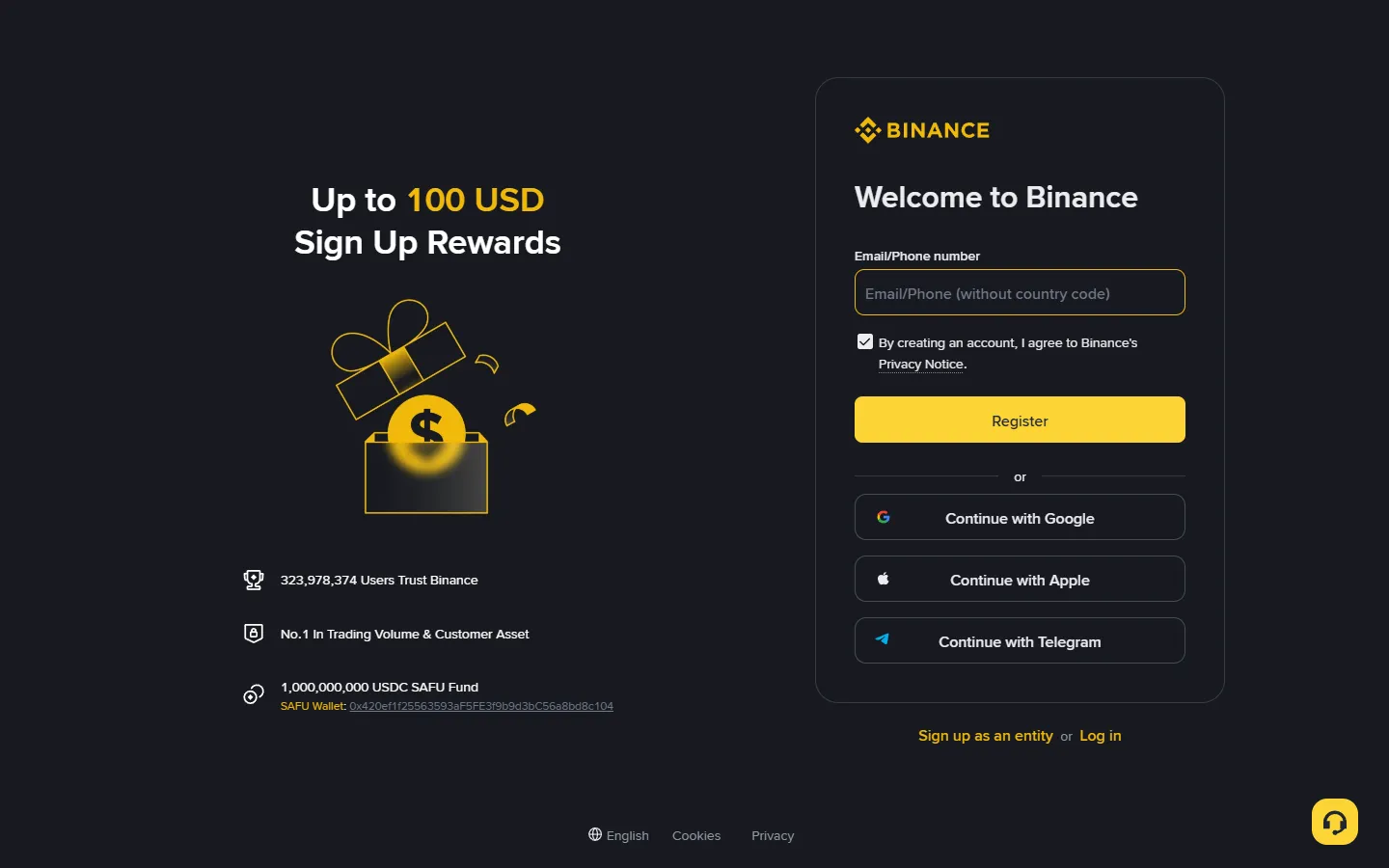
Once it opens, you get the same sequence: choose email or phone, enter the referral code, receive the code, set a password. The web version has one small difference: in some regions the sign-up page buries the referral code field more deeply. If you cannot find where to enter it, the most direct fix is to open the page through a sign-up link that already carries the referral parameter. Opened that way, the referral field is filled in for you and only your email is left to type. The link itself and the code live in our Binance referral code guide.
After you finish signing up on the web, identity verification will most likely hand you a QR code to continue on your phone, because photographing a document and running the face scan comes out better with a phone camera. So even a fully desktop sign-up probably ends with you reaching for your phone.
As for which to use afterwards, day to day the two stay in sync: the same account, balances, and open orders show up whether you open the app or the website, so you are free to sign up on one and trade on the other. Plenty of people register and verify on the phone, then switch to the desktop site for its roomier charts once real trading starts. There is nothing to migrate between them; you simply log in.
Where do you enter the referral code, and what if you missed it?
The referral code goes into the sign-up form, usually in a collapsible field labelled "Referral code (optional)", and after sign-up it cannot be added unless the account has been dormant for 180 days. This is the step beginners regret most.
The logic behind referral codes runs like this: Binance lets existing users invite new ones, and when a new user enters a code, both sides share a portion of the trading-fee rebate. For you specifically, that means a discount on your trading fees. Enter a referral code at sign-up and your fees are cut by up to about a fifth. This discount is a legitimate part of the platform's own mechanics, not some grey-area trick, and you do not pay a cent more because of it.
It helps to know how the discount actually shows up, so you are not left wondering. The rebate applies to the trading fee itself, worked out on each trade and settled behind the scenes, so you will not see a separate "discount" line to tick every time you place an order. It is also independent of the other fee levers Binance offers, such as paying fees in BNB or reaching higher VIP tiers through volume; those tend to stack on top rather than cancel it out. In plain terms, the referral code lowers your baseline fee, and any other discount you qualify for builds from there. Entering the code costs you nothing and quietly trims every trade you ever make, which is exactly why we keep harping on the one field so many people skip.
There are three ways to carry the code in; any one will do:
- Type it in: expand the referral field during sign-up and enter the code.
- Use a link: open the page through a sign-up link that carries the parameter, and the code fills itself in.
- Scan a QR code: if a friend gave you an invite QR code, scanning it into the sign-up page has the same effect.
So what if you have already registered and did not enter a code? An account in use cannot add one; only a verified account left dormant for 180 days can rebind a code, by logging in through a referral link. You will sometimes see people online suggesting you "close the account and re-register", and we do not recommend it: the closure process is a hassle, and re-binding your identity can trigger a risk-control review, which is not worth the gamble for a fee discount. That said, if your account is still brand new, with not a single trade made and no identity verification done, you could simply abandon the empty shell and register again with a different email. That is a personal call; weigh it yourself.
After entering the code, where do you confirm it worked?
Once sign-up is done, if you want to check the referral code really attached, open "Account" in the app and find "Referral" or a similar entry, which shows your invite relationship and your current fee-rebate status. If you can see the inviter's information there, the code took effect, and the fee discount on every future trade settles automatically with nothing more for you to do. If you cannot see it, the code most likely was not entered at sign-up; think back to whether that field was left blank. This is exactly why we suggest registering through a link with the code baked in: one fewer manual entry means one fewer chance to leave it out.
Your first job after signing up: identity verification
A Binance account without identity verification has deposits, trading, and withdrawals essentially locked, which makes it good for nothing. So the very first thing to do after signing up is to get verification out of the way while you are still in the flow.
It is fair to ask why an exchange needs your ID at all. KYC (know your customer) is a legal requirement for regulated financial platforms in most countries, meant to keep exchanges from being used for money laundering and fraud, and Binance applies it worldwide. The upside for you is real too: a verified account is the one that can be recovered if you lose access, and the extra checks make it harder for a stranger to impersonate you. It is a few minutes of friction that buys a lot of protection, so do it carefully and do not rush.
The verification entry sits in a prompt bar on the app home screen or in the "Account" menu, and the process comes in three parts:
- Enter your personal details: name, date of birth, address. Fill them in exactly as they appear on your document, without a single error. Review is machine plus human comparison, so even a small mismatch in spelling can get you bounced.
- Photograph your document: choose the document type (national ID, passport, or driver's licence) and shoot the front and back with your phone camera. Find a spot with even lighting, keep all four corners in frame, keep the text sharp, and avoid glare. Get it right once to save yourself a redo.
- Face scan: follow the prompts to turn your head and blink while the system checks that you and the document photo are the same person. Take off hats and glasses, and do not do it in front of a backlit window; your pass rate goes up a lot.
After you submit, it is a matter of waiting for review. When we ran through it ourselves, the fast cases cleared in a few minutes and the slow ones took a few hours; Binance's Help Center says documents are usually reviewed within 48 hours. There is no need to resubmit repeatedly while you wait, and submitting several times can actually slow things down. If you are rejected, the screen gives a reason, most often a blurry document photo, mismatched details, or a failed face match, and you just fix what it points to. For cases that keep failing, or a "review in progress" that seems stuck, the fixes are all in the identity verification guide, so we will not repeat them here.
Which document should you use, and what about a name mismatch?
Use whichever document is easiest for you to photograph cleanly and whose details match what you typed. A passport is the most widely accepted choice because it reads the same in any country, but a national ID card or driver's licence works in most places too. The rule that matters more than which document you pick: the name, date of birth, and document number on screen have to match the document exactly. If your legal name uses characters or accents that are awkward to type, enter them as they appear on the document rather than a simplified version, because the automated check compares them character for character.
Higher account tiers, or larger withdrawal limits, sometimes ask for an extra step such as proof of address, usually a recent utility bill or bank statement showing your name and address. Most beginners never touch this at the start, so do not go hunting for it unless Binance actually asks. When it does come up, use a document dated within the last few months and make sure the address matches what you entered during verification. Getting the small details consistent across every field is what turns a rejection into a clean pass.
What are the most common obstacles during sign-up?
The problems below cover most of the sign-up failures we have seen. When something goes wrong, find your case here first.
Obstacle 1: The email verification code never arrives
Work through it in this order: check the spam folder and the "Promotions" or "Updates" tab first; confirm the email address has no typo (the classic one is typing "gamil" for "gmail"); tap resend and wait a few minutes; add Binance's sending domain to your safe-sender list and try again. If none of that works, just register with a different email provider. Some providers really are aggressive about blocking overseas mail.
Obstacle 2: The SMS code will not reach your phone
This crops up now and then for people registering with a phone number. Check whether your phone has spam-SMS blocking switched on and whether your signal is fine, then resend. If it simply will not arrive, switching to email registration is the easiest way around it.
Obstacle 3: "This email is already registered"
This means the email registered with Binance before, maybe by you and forgotten, or maybe on a whim years ago. Do not rush to swap emails; run the "forgot password" flow first to recover the old account and see what state it is in. Remember the rule from earlier: one person can have only one verified account, so if the old account already carries your identity, a new one will not be able to verify again.
Obstacle 4: The sign-up page will not load or keeps spinning
Try a different network first (switch from Wi-Fi to mobile data, say), then try updating the app or changing browsers. If your region itself has access restrictions on Binance, this is no longer a technical issue, so go back to the supported regions notes and confirm whether your area can actually use Binance's services normally.
Obstacle 5: After submitting, it says "service not available in your region"
This message is more direct than a page that will not load: the residence you picked is outside the places Binance.com will open an account for, and retrying with a different email or phone number changes nothing. As of September 2026, the blocks fall into three groups:
- The prohibited list in the terms (January 5, 2026 version): the United States (including US citizens), Canada, the Netherlands, Cuba, North Korea, Iran, and the Crimea, Donetsk and Luhansk regions. US residents use the separately run Binance.US;
- No new sign-ups: the UK since October 16, 2023, and EU countries since July 1, 2026, because Binance does not hold an EU MiCA licence;
- Blocked or not served by local regulators: mainland China, Malaysia, Thailand, the Philippines and others.
If you hit this, there are only two sound next steps. If you live in one of these places, pick a locally licensed platform from your regulator's public register (in the EU, the ESMA register of crypto-asset service providers; in the UK, the FCA register; elsewhere, the licensed-firms list on your securities or financial regulator's site). If you actually live somewhere else, register with that residence and a local ID. Do not use a VPN or someone else's identity to get around it: those accounts get restricted at a verification review, and getting funds back means a long appeal. The fuller picture is in which countries Binance supports.
Whatever you try, change only one variable at a time. Swap the network, or the browser, or the email provider, then retry, instead of changing everything at once. When something finally works you will know what the culprit was, which matters if you hit the same wall again on another device. And if a problem clearly comes down to your region rather than a setting on your end, no amount of retrying will move it; that is the moment to step back and check the rules for where you are instead of burning another hour.
What three things should you do right after signing up?
With the account created and verification passed, do not go charging into the market yet. Spending ten minutes on the three things below cuts the odds of your account being stolen by a wide margin. We put the full security setup in Binance account security settings; here are only the three that matter most:
- Turn on two-factor authentication (2FA): in the security settings, link an authenticator app (such as Google Authenticator). When you link it, write down the recovery key it gives you on paper and keep it safe; if you lose your phone, that key is your lifeline.
- Set an anti-phishing code: choose a short phrase only you know, and from then on every official email Binance sends you will carry it. Any "Binance email" without that phrase should be treated as phishing, full stop.
- Check device management: glance at the authorized-devices list to make sure only your own devices are there. Whenever you log in on an unfamiliar device later, remember to come back and check here.
If you plan to hold a larger amount for the long term, you can also flip on the withdrawal address whitelist while you are at it: once enabled, the account can only send crypto to addresses you added in advance, so even if someone steals your password, they cannot move funds to an unknown address. A small, freshly registered account can leave this for now and turn it on once your assets grow.
Think about recovery now, too, while nothing is at stake. Store the 2FA recovery key somewhere offline that is not your phone, since the whole point is that it survives a lost or wiped device. Protect the email account itself just as well, with its own strong password and its own 2FA, because whoever controls your email can often reset everything downstream from it. None of this takes long, and doing it on day one is far easier than scrambling after something has already gone wrong.
Next step: how do you buy your first crypto?
With the account ready, how does money get in? There are three main paths, differing in difficulty and in who they suit:
| Path | Who it suits | Roughly how it works |
|---|---|---|
| P2P (buying from other users) | People paying with local currency, the most common route | Pick a seller in the P2P market, pay by transfer, and they release the crypto. See the P2P USDT buying guide |
| Bank card / bank transfer | Users in regions with a fiat channel (card payments or local bank transfers) | Buy crypto directly with a card or a transfer; convenient, though the channel fee is usually higher |
| Transfer crypto in from elsewhere | People who already hold crypto on another platform or wallet | Get a deposit address and send it in from outside. See the crypto deposit guide |
For many people, the first deposit goes through P2P: buy USDT with local currency, then take that USDT to the spot market to swap for Bitcoin or another coin. Once you have bought some and want to understand the trading screen, read on to Spot Trading Basics next; if costs are your concern, Fees Explained together with our Fee Calculator can pin down the cost of every trade.
A quick word on choosing between those three paths. P2P usually gives the best price, since you are buying from another person and no card processor takes a cut, but it asks a little more care: read the seller's completion rate, release the crypto only after you have truly received the money or confirmed your payment went through, and never let the conversation move off Binance's own app. Card purchases are the fastest to set up and the most forgiving for a first-timer, at the cost of a higher fee baked into the rate. Transferring in from another platform makes sense only if you already hold crypto elsewhere, and there the thing to triple-check is the network: send on the same network the receiving address expects, or the funds can be lost with no way back. Whichever path you take, move a small test amount first and confirm it lands before you send anything larger.
If you do not want to study charts for now and just plan to buy a little on a regular schedule and hold, Binance's Convert Recurring plan (the old Auto-Invest, now under Trade, then Convert & Block Trade, then Recurring) can be set to charge automatically with no trading fee, sparing you a manual order each time. Before you start, use the DCA Cost Calculator to spread the cost across different frequencies and amounts, and you will have a clearer picture. The tool works out cost, not returns. No one can promise future prices, so do not take anyone's word on that.
Frequently asked questions
Does it cost anything to open a Binance account?
No. Signing up and opening the account is completely free, and identity verification does not cost anything either. Binance makes its money from trading fees and similar charges, so you only pay something once you actually trade, deposit, or withdraw.
How many Binance accounts can one person have?
As a rule, one person, one account. Binance's terms of use allow each user to hold a single main account, and your verified identity can only be tied to one account. If you genuinely need more, open a sub-account under your main account rather than registering again.
Can I register without entering a referral code?
Yes, you can register without one. The difference is that entering a referral code gives you a fee discount, of up to about a fifth. Skip it and you miss that discount, and the only later route is rebinding after the verified account has been dormant for 180 days.
Can I register for Binance without a national ID card?
Creating the account only needs an email or phone number, but passing identity verification requires an officially accepted document such as a national ID, passport, or driver's licence. Which documents are accepted depends on the country or region you select. An unverified account can barely use any features.
How soon after signing up can I start trading?
It depends on how fast identity verification is reviewed. When we ran through it ourselves, approval came within a few minutes to a few hours, and Binance's Help Center says documents are usually reviewed within 48 hours. Once verification passes, you can deposit and trade.
Is it better to register with email or a phone number?
Either works, with no difference in features. We lean toward email: people change phone numbers more often than email addresses, and a dedicated email used only for trading platforms cuts down on the noise from phishing messages.
Registering an account only gets you a ticket to the venue, and every decision inside it carries a cost. Digital-asset prices swing far more than traditional assets like stocks, and leverage and futures are where beginners get hurt most. Learn to protect your capital first, and talk about profits later.
Sources
You can check the steps and rules above in these places: