"I cannot find Binance in the App Store" is one of the first things beginners get stuck on. It usually is not a fault with your phone. The Binance app is listed differently across regional app stores to begin with, and iPhone and Android call for completely different approaches. This guide covers the right way to install on all three, iPhone, Android, and computer, and handles the frequent headaches like a crash or an app that will not open. Installation has one iron rule: the source must be verifiable. Fake apps are one of the nastier traps for beginners.
How do you download the Binance app on iPhone?
If your Apple ID region has the app listed, open the App Store, search "Binance," and install it. If it does not come up, that usually means the store for that region has not listed it, not that something is wrong with your phone settings.
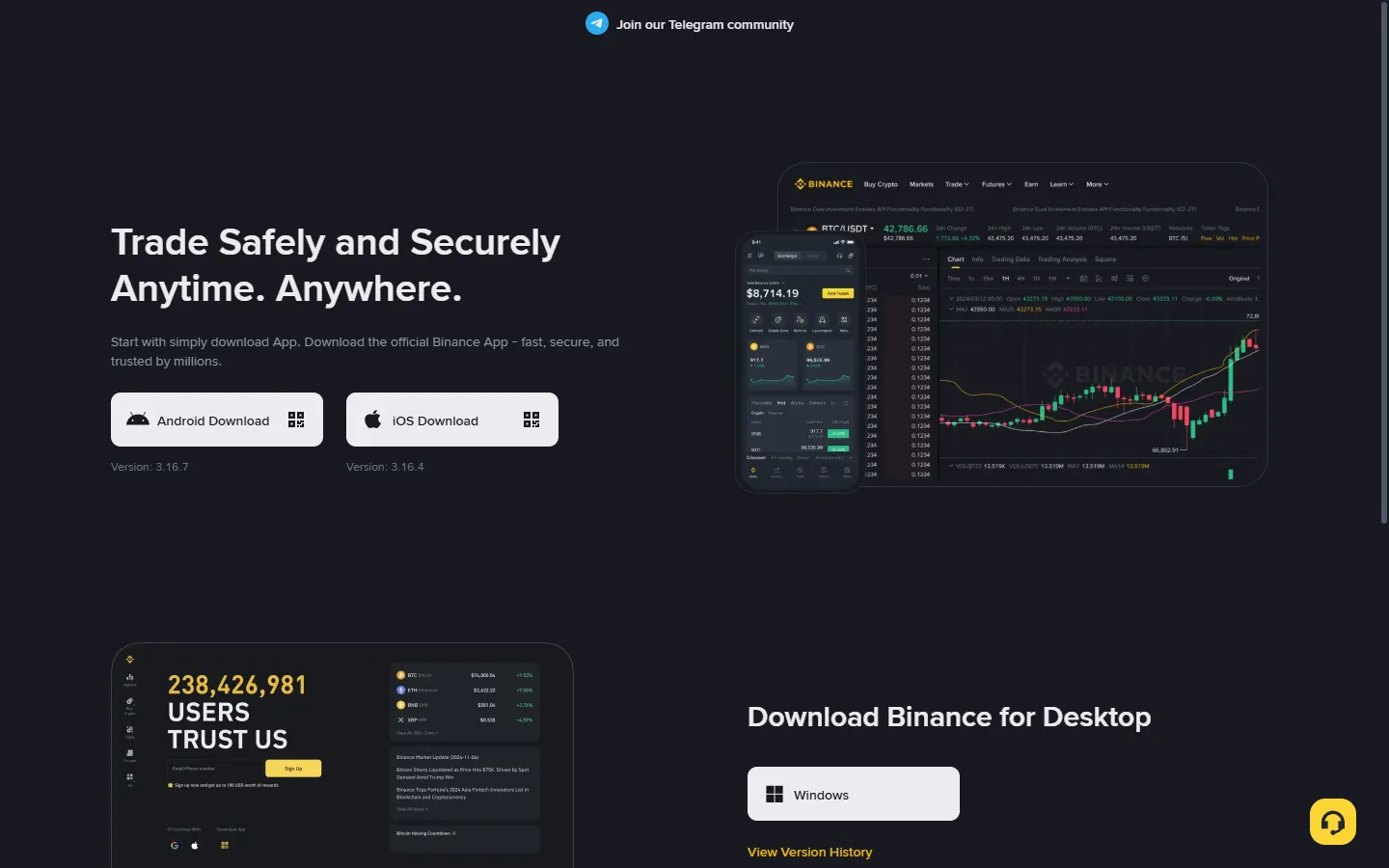
When it does show up, spend five seconds confirming three things before you install: the developer field reads as the official Binance name, the download and review counts look normal, and the icon and name carry no extra suffix. Copycat apps use names such as "Binance Pro" to ride the search results, so checking the developer beats checking the icon. Safer still, open the download page on Binance's official site and tap the iOS option, which hands you to the right App Store page and gives fakes no opening.
If it will not come up, look at it in two layers. The first is whether Binance operates where you are at all, because if your region is outside its service range the app installs but will not register, so settle that first with which countries and regions Binance supports. The second is store listing differences: even in regions Binance serves normally, a particular App Store may not carry it. Switching your Apple ID to another region's store, the trick passed around online, is governed by Apple's own terms and usually needs a matching payment method and billing address, and on the Binance side your residence and verification still have to be truthful. This site does not teach how to get around either party's rules, so if you are unsure, use the web version below.
How do you download the Binance app on Android?
If your phone has Google Play, search "Binance" in the Play Store and install. If it has no Google services, download the official APK package straight from Binance's official download page.
Play Store installs go by the developer information, as on iPhone. The APK route deserves attention, because it is where fake apps concentrate, so the rules are strict:
- Open Binance's website in a browser and go to the "Download" page in the site footer or menu;
- Choose the Android APK download and save the package;
- During install, the system asks for permission to install unknown apps, which you grant this once and can switch back off afterward;
- Some phones' security software pops a risk warning, a generic notice for any app from outside a store, so once you have confirmed the source is the official site, use your judgement and continue.
The flip side: never touch packages like these, an "internal build" from a group chat, a cloud-drive link, a "Binance Lite" from a third-party market, or a download page from a QR code you cannot trace. A tampered fake app copies the interface convincingly, and what it is after is your login password and verification codes; once it has them, your wallet is on someone else's phone. The full list of these tricks is in scam prevention.
How do you use Binance on a computer?
You do not need to install anything. Open Binance's official site in a browser and you have the full web version, where markets, trading, deposits, withdrawals, and Earn all work, with day-to-day features matching the app.
The one trap on desktop is not the install; it is the entry point: search-engine ad slots are the spot phishing sites buy most. The top result marked "Ad" may sit on a domain one or two letters off from the official one, with a page built to look identical, and the moment you type your password the account is handed over. One rule keeps you clear of it: skip the results marked as ads, and never open an "official link" someone sends you in a chat. If you have not finished registering, follow the sign-up guide, which applies to the web version too.
For anyone who wants a standalone client, Binance also has desktop apps, downloaded only from the official page again. In our experience, though, the web version is enough for almost everyone, and one more rule (only download from the official site) beats one more program.
What if it will not open, keeps crashing, or fails to update?
Nine out of ten crashes and won't-open cases clear with three moves, tried in order: update the version, switch the network, reinstall.
- Move one: update. An old build that has lost support will fail to open or misbehave, so check the store or the official download page for a newer version, and do this first if the app has gone a long time without one;
- Move two: switch the network. Flip between Wi-Fi and mobile data and try again, because plenty of won't-open cases are the network environment rather than the app;
- Move three: reinstall. Uninstall, then reinstall through the official channels above. Your assets live on the server, so a reinstall does not touch your money, but run one check first: reinstalling means logging back in and passing two-factor authentication, so before you delete the app, confirm your authenticator works and your recovery key is on hand, or you trade a crash for a locked account.
A word on failed updates. When the update button in the store just spins, it is usually the network again, so switch and retry. Android APK users, note that an overwrite install needs the old and new packages from the same publisher: official packages overwrite each other fine, but a "signature mismatch, cannot install" message means the old build came from a shady source, a useful alarm to uninstall it cleanly and reinstall from the official site. After updating, glance at your login status and the assets page before carrying on.
If all three moves fail, there are two possibilities. One is server maintenance, so wait and retry, with the official announcements the deciding word. The other is that access to Binance is restricted where you are, which no technical fix addresses, so go back to the supported regions notes and confirm your status. For stubborn oddities, search the error keyword in the Binance Help Center.
Frequently asked questions
Why can't I find Binance in the App Store?
Most likely the app is not listed in your Apple ID's region. App Store availability varies by region, so it is not a problem with your phone. Check the official Binance download page for the right install route in your region first, and remember that if Binance does not serve your region at all, installing the app will not help, so check the supported-regions list.
Is the Binance APK from the official site safe?
The APK from Binance's official download page is the officially published package, and it is the proper install route for an Android device without Google Play. The whole point is the word "official": take it only from Binance's own download page, because a package from a group chat, a cloud drive, or a third-party market cannot be verified, however official it looks.
Do the Binance web version and app have the same features?
For everyday use they are much the same: markets, trading, deposits, withdrawals, and Earn all work on the web, and watching charts or bulk actions can be smoother there. The differences are the mobile-only bits, since push notifications, QR scanning, and the face check rely on phone hardware. Most people watch charts on a computer and act on the phone.
Will reinstalling the Binance app affect my assets?
No. Your assets are recorded on Binance's servers, not in the app on your phone, so deleting and reinstalling loses only the local cache and login state. The thing to watch is that a reinstall means logging back in and passing two-factor authentication, so before you delete it, confirm your authenticator works and your recovery key is on hand, and do not lock yourself out.
Installing the app is only the opening move. The registration, identity verification, and security setup that follow each have their own guide, and only after all of them is the account truly ready to use. If you hit an installation problem this guide did not cover, write to mewbyt@mewbyt.com and we will add the new pothole.