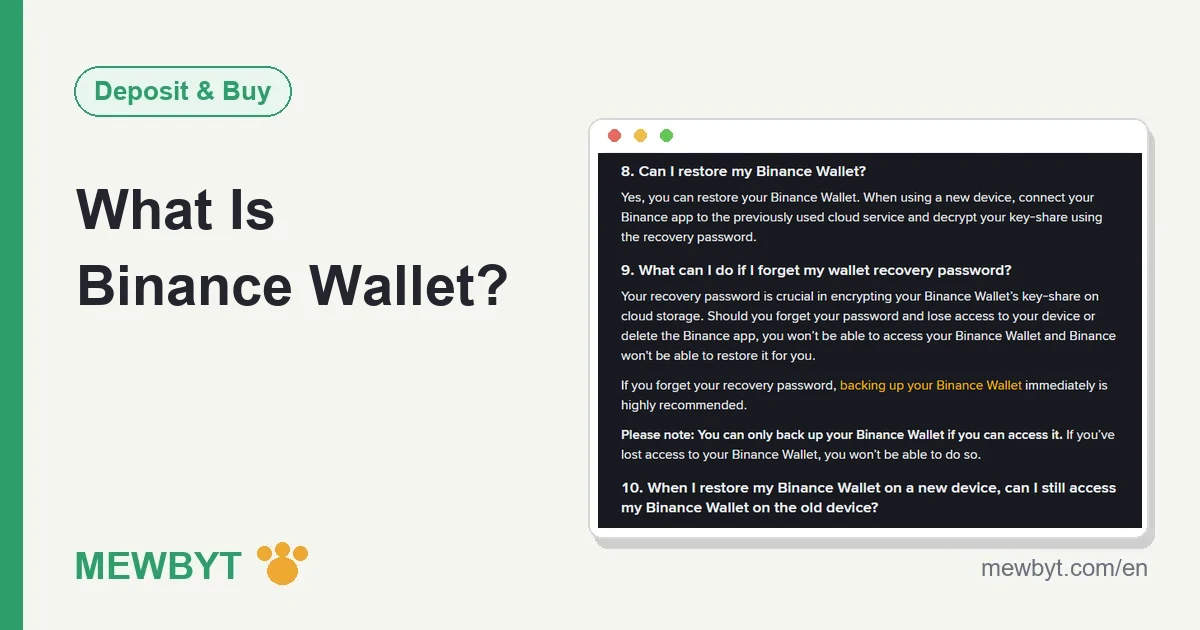
Binance Wallet (called Binance Web3 Wallet until December 2024) is a self-custody wallet that lives inside the Binance app: your coins sit at your own on-chain addresses, not in your Binance exchange account. There is no seed phrase. The private key is split into three key-shares, so the first job after you open it is a cloud backup protected by a recovery password you will not forget. Lose both the password and your phone, and Binance cannot get the wallet back for you. This guide covers how it differs from your exchange account, what moving money in and out costs, why token approvals are dangerous, and who to contact when something breaks.
What Binance Wallet is, and where to find it in the app
The Binance Wallet FAQ describes it as a self-custody crypto wallet inside the Binance app, built for connecting to blockchain apps (dApps), swapping tokens across chains and earning on-chain yield. Open the Binance app and switch from Exchange to Wallet at the top of the screen. A Binance Academy article updated in June 2026 says the product launched as Binance Web3 Wallet and was renamed Binance Wallet in December 2024.
A few facts worth knowing before you set it up:
- You need a verified Binance account first. The FAQ says the wallet itself is self-custodial and does not force verification, but because it is embedded in the Binance app, you have to be a verified Binance user and follow the Binance Terms of Use to create one.
- Lots of chains, but two different official numbers. Binance Academy says 60+ blockchains, including Ethereum, BNB Smart Chain, Solana, Polygon and Arbitrum. The wallet's own About page says 30+ networks. Before you send anything, check that the network you need actually appears in the wallet's network list.
- A different company runs it. The disclaimer at the bottom of the FAQ says the Binance Wallet services are provided by Binance Barbados Limited and are not under the supervision of the Financial Services Regulatory Authority or any other regulatory authority.
No Binance account yet? Start with the sign-up guide. App not installed? See the app download guide.
Exchange account vs Binance Wallet, side by side
Your exchange account and Binance Wallet share an app, but they hold your money in completely different ways. Mixing them up usually means putting money you cannot afford to lose somewhere you cannot recover it from.
| Exchange account | Binance Wallet | |
|---|---|---|
| Who holds the coins | Binance, as custodian, on its own books | You. Coins sit at your on-chain addresses, and the FAQ says you alone are responsible for safeguarding and backing up the wallet |
| Seed phrase | Not relevant; you log in with a password and 2FA | None; the key is split into three key-shares |
| Forgot password, lost phone | Binance has an account recovery process | Lose the recovery password and the device, and Binance cannot restore it |
| Transfer fees | Internal transfers between Binance users are free | Every on-chain transaction pays gas, even one that fails |
| Sent to the wrong address | On-chain withdrawals are just as hard to reverse | The FAQ says Binance cannot refund you |
| Losses inside a dApp | Not relevant | The FAQ says no refunds |
Put simply: when something goes wrong in your exchange account, there is at least a company to call. With Binance Wallet, almost all of the safety rests on your own backup and your own clicks. That is the upside of truly owning your coins, and also the risk.
No seed phrase: how the keys are actually held
A typical self-custody wallet gives you a 12- or 24-word seed phrase, and whoever has those words has the money. Binance Wallet uses MPC (multi-party computation) instead. When the wallet is created, three key-shares are generated and stored in three places. Binance Academy's June 2026 article names them: your device, your cloud storage (iCloud or Google Drive), and Binance's servers.
Any two of the three are enough to use the wallet. Binance's backup article, updated in February 2026, says you "must have at least 2 wallet key-shares". Day to day, that is the share on your phone plus the share Binance holds. If you lose the phone, it is the share in your cloud plus Binance's share. A Binance blog post from February 2025 says Binance holds only one share, so it cannot access your wallet without you.
The share in your cloud is encrypted with a recovery password that only you know; Binance does not keep it. Of the three shares, the only things you really have to manage are whether the cloud backup exists and whether you remember the recovery password.
The first thing to do: back it up
Binance's backup guide offers two methods:
- Cloud backup. On the backup screen, choose iCloud or Google Drive and set a recovery password. The second key-share is then encrypted and stored in your cloud account.
- QR code backup. The share is stored on Greenfield, a decentralized cloud storage service, and you keep the backup details yourself. The guide warns that if you lose them, Binance cannot restore them for you, and you lose access to that backup.
Which method to pick depends on what you trust more. If you already rely on an iCloud or Google account and keep it well protected, cloud backup is the simplest. If you would rather not put a key-share in a big-tech cloud, use the QR backup, but treat those backup details as seriously as a private key.
New phone, lost phone, forgotten recovery password
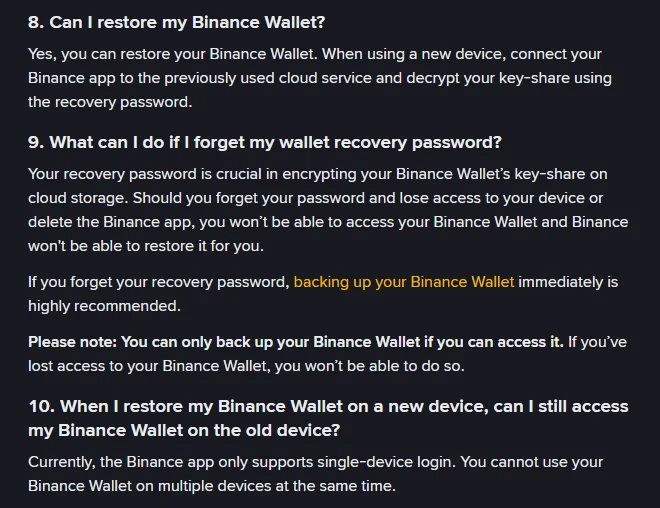
According to the FAQ, you restore the wallet on a new device by connecting the Binance app to the cloud service you used before and decrypting your key-share with the recovery password. The wallet works on one device at a time: the FAQ says the Binance app currently supports single-device login only.
| Your situation | Can you recover? | What to do |
|---|---|---|
| New phone, old phone still in hand | Yes | Log in to the Binance app on the new phone, connect the same iCloud or Google Drive and enter the recovery password. The wallet then stops working on the old phone |
| Phone lost, but you have the cloud backup and the password | Yes | Secure your Binance account first (change the password and check devices, see the four moves after a compromise), then restore the wallet on the new phone as above |
| Forgot the recovery password, but the wallet still opens on your phone | Fixable | Back it up again immediately with a new recovery password. The FAQ says the same: if you can still access the wallet, back it up right away |
| Forgot the recovery password and lost the phone or deleted the app | No | The FAQ says you will not be able to access the wallet and Binance will not be able to restore it |
| Never made a backup, and the phone is gone | Almost certainly not | Under the two-of-three rule, only Binance's share is left, which is not enough. Binance does not spell this case out; this row is our reading of the key-share rule |
Moving funds from the exchange into the wallet and back
Your exchange account and Binance Wallet live in the same app, but moving money between them is a real on-chain transaction, not a ledger entry. Binance's guide to sending and receiving in the wallet (updated October 2025) describes the paths:
- Exchange to wallet: in the wallet, tap Withdraw from Binance Exchange. The screen shows the network fee and the final amount you will receive.
- Wallet to exchange: when you send from the wallet, choose Binance Deposit Address as the destination. The guide notes that gas fees apply when you send a token from your wallet.
Binance does not state an arrival time; it depends on the chain and how busy it is (see what a blockchain confirmation is). Both directions ask you to pick a network, and picking the wrong one has the same consequences as any withdrawal. If that happens, see sent USDT to the wrong network.
Gas fees: why you need a little BNB or ETH in the wallet
The FAQ says every blockchain transaction carries a network fee, also called gas, which varies with network traffic and with the chain you use. The send-and-receive guide adds that you need enough of the chain's native token to cover it: to send USDT on BNB Smart Chain you need some BNB in the wallet, and on Ethereum you need ETH.
The most common beginner snag is a wallet holding only USDT and no BNB at all, so nothing can be sent. The fix is to move a small amount of the native token in from your exchange account first, enough for a few transactions.
One more rule that costs people money: the FAQ says that if a transaction is executed but fails, you still pay the gas. Every failed retry is charged again. Find out why it failed before retrying; the usual causes are too little gas, or slippage set too tight on a swap.
You may have seen "zero gas fees" in Binance Pay's marketing. That refers to stablecoin payments in Binance Pay, a different product. We found no official gas-free feature for Binance Wallet at the time of writing, so plan on paying gas for every transaction.
dApps and token approvals: where most wallets get drained
Swapping, staking or claiming an airdrop in a dApp often starts with an approval: you allow a smart contract to move a particular token from your wallet. Once given, that contract can move the token up to the approved amount without asking you again. A great many drained wallets trace back to one harmless-looking approval.
A Binance security blog post from November 2024 says Binance Wallet will show a warning and flag a transaction as unsafe when it looks suspicious, and recommends that you review and revoke any approvals you do not recognize or no longer need. Our advice comes down to three habits:
- When you see an unsafe warning, stop. Do not click through because someone is rushing you or an offer is "ending soon".
- If you can enter a specific approval amount, do that instead of choosing unlimited. Approve what you are about to use.
- Revoke approvals for dApps you no longer use. On Ethereum you can use Etherscan's token approval checker, and on BNB Smart Chain BscScan's equivalent; connect the wallet to see and revoke approvals. Revoking is itself an on-chain transaction and costs gas.
If something goes wrong, Binance will not cover it. The FAQ says Binance Wallet only provides access to dApps and is not involved in how third-party protocols operate, so losses inside a dApp cannot be refunded. The same goes for the Binance Alpha section of the wallet: the Alpha FAQ says tokens featured there are not an endorsement by Binance and only "may be considered" for an exchange listing in the future.
For the usual airdrop and "approve to claim" tricks, see the fake airdrop section of our scam guide.
Converting to private key wallets: what it really means
Binance Wallet does not show you a private key by default, but it offers a conversion. The FAQ lists the steps: on the Wallet Management page, tap Convert to Private Key Wallets, read the reminder and tap Continue. The screen lists the private key address and balance for each network; tick all the safety tips and complete identity verification. Once verified, the keyless wallet is converted into separate private key wallets, one per network.
The FAQ is blunt about one thing: back up the private keys before you leave that page. You can view and back up each network's key, or use Copy All and paste them somewhere safe. A Binance blog post from February 2025 says that after conversion, the original Binance Wallet becomes inaccessible.
When is it worth doing? In our view: when you want to import these assets into another wallet app, or when you do not want access to depend on being able to log in to the Binance app. If you have no habit of storing private keys offline, conversion just swaps the risk of forgetting a recovery password for the risk of a stolen private key. A private key is the money. Write it on paper, keep it offline, and treat anyone who asks for it, for any reason, as a scammer.
Who runs the service, and how to reach support
The FAQ disclaimer says Binance Wallet services are provided by Binance Barbados Limited and are not supervised by the Financial Services Regulatory Authority or any other regulatory authority. The wallet's terms of use (updated January 2024) say you, and not Binance, have full ownership of the digital currencies in it, and that the service is only for users in jurisdictions where it is offered; no list is given. Since you need a verified Binance account to open the wallet, if the Binance exchange is not available where you live, you can generally assume the wallet is not either. That last point is our inference.
There is no separate support desk for the wallet; it uses the same support as the exchange. Binance's support guide (updated June 2026) says: in the app, tap the support icon on the home screen; on the website, click Binance Support at the bottom right, then Get Support, then Customer Service to reach a person. Reply in the chat within 24 hours or you may lose your place in the queue.
We found no official explanation of what happens to the wallet if your exchange account is restricted or closed. That is one reason we would not leave a large balance sitting in Binance Wallet indefinitely. For long-term on-chain holdings, converting to private key wallets with an offline backup, or using a wallet whose seed phrase you control, gives you fuller control.
When something goes wrong: what to do first
| What happened | Do this first | Then contact |
|---|---|---|
| Transfers you do not recognize, or you just signed a suspicious approval | Move whatever is left to a safe place right away (for example, your own exchange account's deposit address), then revoke the suspicious approval | Binance support in the app; keep the transaction hashes and report to the police where you live. See already scammed? what you can still do |
| Sent to the wrong address | Look up the transaction hash on a block explorer to see where the funds went; if it is another exchange's deposit address, contact that exchange | The Binance Wallet FAQ says Binance cannot refund you |
| Lost money in a dApp, or the project vanished | Save the transaction hashes, approval records, the project's URL and chat screenshots | Binance does not refund dApp losses; contact the project, and if it looks like fraud, report it locally |
| A transaction failed but gas was charged | This is how blockchains work and the gas is not refunded; find the cause before retrying | Usually nobody |
| Someone claiming to be support asks for your recovery password, a private key, or to "sync your wallet" | Give them nothing and stop replying | Check the website, email or handle with Binance Verify |
Whatever happened, anyone who contacts you afterwards offering to recover the funds for a fee, whether they call themselves a tech team or a lawyer, is running a second scam on the same victim.
Which money belongs in Binance Wallet
Given all of the above, this is how we would split it:
- Belongs in the wallet: the part you actually plan to use on-chain, such as money for a swap or an on-chain campaign, plus a little of the native token for gas.
- Keep out for now: anything at all before the backup is done; money you only plan to hold long term without touching dApps, which carries one less layer of operational risk in the exchange account; and money you are about to cash out, since cashing out goes through the exchange (see withdrawals and cashing out).
- How much: size it by asking whether you could live with it going to zero because of one bad approval, not by the yield on offer.
Frequently asked questions
Is Binance Wallet the same thing as Binance Web3 Wallet?
Yes. Binance Academy says the product launched as the Binance Web3 Wallet and was rebranded as Binance Wallet in December 2024. Older guides that talk about the Web3 Wallet are describing the same wallet you now see in the Binance app.
Does Binance Wallet have a seed phrase?
No. The Binance Wallet FAQ says there are no seed phrases. It is an MPC wallet that splits the private key into three key-shares stored in different places. If you want the private keys, use Convert to Private Key Wallets under Wallet Management and back the keys up before you leave that page.
What if I forget my Binance Wallet recovery password?
If you can still open the wallet on your phone, back it up again right away with a new recovery password, which is what the Binance FAQ recommends. If you have forgotten the password and also lost the device or deleted the app, the FAQ says you will not be able to access the wallet and Binance cannot restore it.
Is it free to move crypto from my Binance exchange account to Binance Wallet?
No. It is an on-chain withdrawal, and the Withdraw from Binance Exchange screen shows the network fee and the final amount you will receive. Sending from the wallet back to the exchange also costs gas. Check both numbers before you confirm.
Will Binance refund me if I lose money in a dApp?
No. The Binance Wallet FAQ says the wallet only gives you access to dApps and has nothing to do with how those third-party protocols operate, so losses inside a dApp cannot be refunded. Read what an approval asks for before you sign it, and revoke approvals you no longer recognize.
Binance Wallet makes owning your coins easy by removing the seed phrase. What it cannot remove is the backup, and the few seconds of reading before every approval. Back up first, fund second, connect to dApps third, in that order.
Sources
Public pages cited in this article, verifiable yourself:
- Binance Support: Frequently Asked Questions on Binance Wallet (self-custody, no seed phrase, recovery, single device, gas on failed transactions, no refunds for wrong addresses or dApp losses, service provider) (published 23 Oct 2023, updated 2 Dec 2025)
- Binance Academy: What Is the Binance Wallet? (December 2024 rebrand, where the three key-shares are stored, supported chains) (updated 26 Jun 2026)
- Binance Blog: Binance Wallet, a self-custody Web3 wallet (Binance holds one share; the wallet becomes inaccessible after conversion) (24 Feb 2025)
- Binance Support: How to Back Up My Binance Wallet (cloud and QR code backup) (published 1 Dec 2023)
- Binance Support: Why Do I Need to Back Up My Binance Wallet (at least two key-shares) (updated 23 Feb 2026)
- Binance Support: How to Send and Receive Tokens on Binance Wallet (exchange transfers, native token for gas) (updated 8 Oct 2025)
- Binance Security Blog: the risks of approving smart contract transactions (unsafe warnings, revoking approvals) (6 Nov 2024)
- Binance Support: What Is Binance Alpha on Binance Wallet (not an endorsement) (published 17 Dec 2024)
- Binance Wallet Terms of Use (ownership, jurisdictions) (updated January 2024)
- Binance Wallet About page (30+ networks) (undated)
- Binance Support: How to Use Binance Support (updated 11 Jun 2026)
All pages accessed on 8 October 2026.