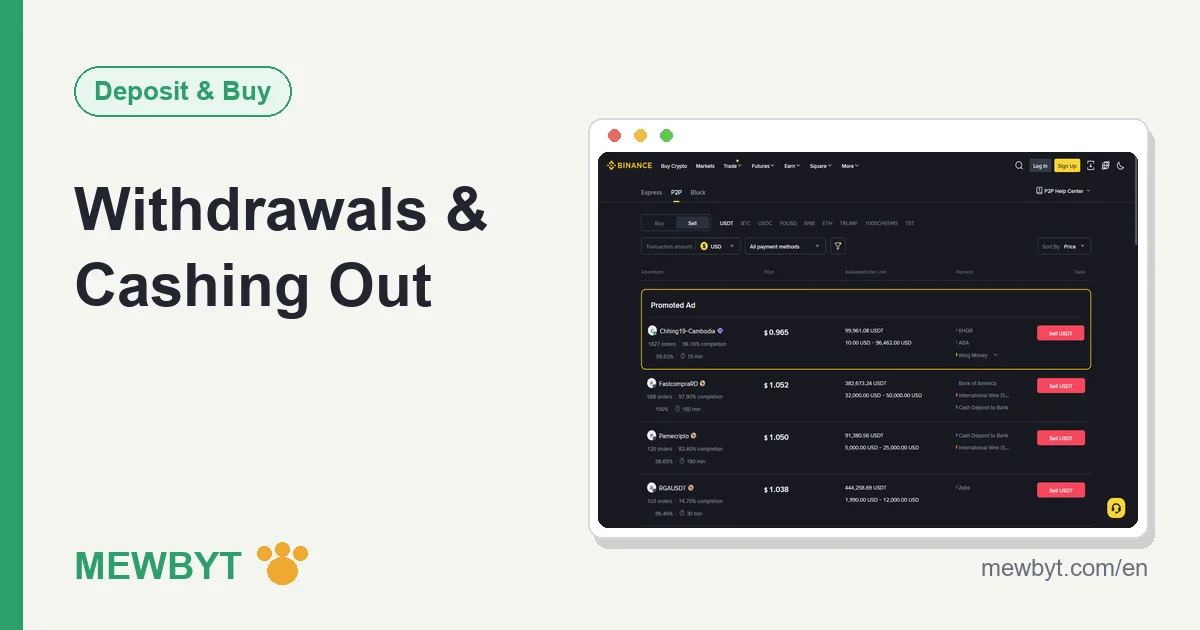
Everyone loves to write the deposit guide, and the withdrawal guide tends to get waved through in a sentence. Yet for an ordinary user, "can the money actually come out" is the real test of a platform, and it is the stage where beginners most often come to grief. In Binance terms, "withdraw" is really two completely different things: selling coins for fiat and pocketing the cash, or sending coins untouched to your own on-chain wallet. The two have nothing in common in how they flow, the risks, or how fees work, and mixing them together only muddles the picture, so this guide keeps them apart and walks each to the end.
This article assumes you already have a verified Binance account and some balance. If you are still at the funding stage, start with the P2P buying guide or the deposit guide.
Two meanings of "withdraw", sorted first
Cashing out ends with a fiat sum landing in your bank account, while an on-chain withdrawal ends with crypto landing in your own wallet. The first carries its main risk at the receiving step (getting problem funds), the second at the operating step (a wrong address or network).
| Aspect | Cash out (sell on P2P) | On-chain withdrawal |
|---|---|---|
| What you get | Fiat, into your bank or payment account | Crypto, into your on-chain wallet |
| Main risk | Receiving tainted funds, a frozen bank account | Wrong address or network, irreversible on chain |
| Cost | P2P usually free for individuals, cost sits in the spread | A flat fee per coin and per network |
| Arrival time | Depends on the buyer's transfer speed, usually about fifteen minutes | Depends on on-chain confirmations, minutes to tens of minutes |
Decide which one you want first: to spend cash, cash out; to move assets to a self-custody wallet or another platform, withdraw on chain. The two lines are covered separately below.
Cashing out on P2P: flow and receiving
Cashing out on P2P is the mirror image of buying: open P2P and switch to the "Sell" tab, choose USDT and your fiat, pick a buyer (or post your own listing), place the order so your coins go into escrow, wait for the buyer's transfer, confirm the money truly reached your account, then tap "Release", and the trade is done.
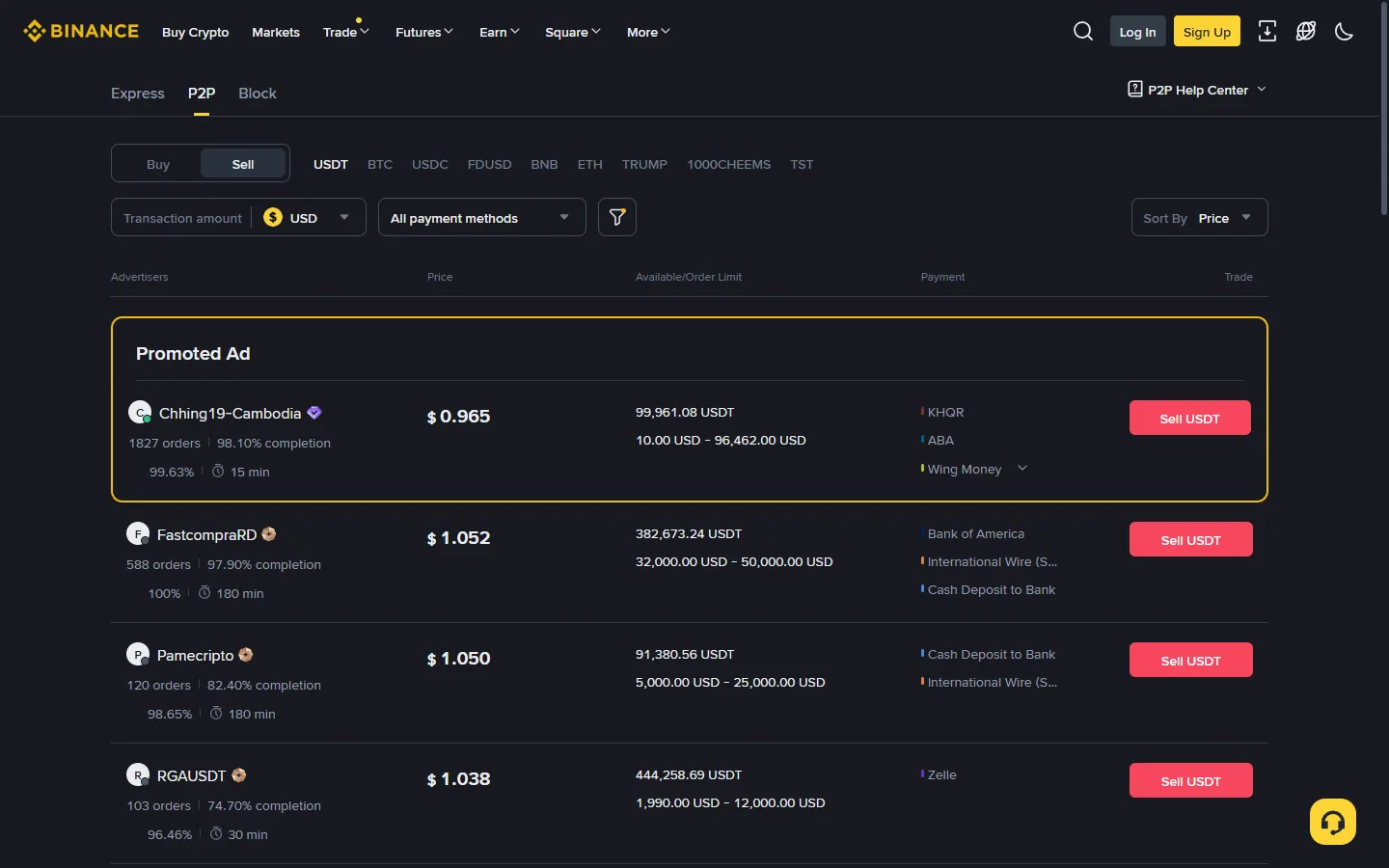
The step with the most power, and the most responsibility, is "Release". Before you tap it, no one can take the escrowed coins; after you tap it, the trade is over, and the platform does not verify for you whether the money truly arrived. So the sell side has one iron rule: go by the actual credit in your bank account. If the money has not landed, do not release the coins though the sky falls in. A transfer screenshot the buyer sends, a payment receipt, a "it is on its way, releasing now" nudge, none of it counts. Screenshots can be faked; a settled credit cannot.
Vetting the other party matters as much when selling as when buying, if not more: prefer merchants with a high order count, a completion rate of 98% or better, and a verified badge. How to read those metrics is covered in the P2P USDT buying guide, and the logic carries over exactly. Selling also has two habits all its own:
- Split into small amounts: do not sell one big lump to a single buyer at once. Break it into several orders, across a few days, to different established merchants, which cuts your exposure to problem funds on any one order and is less likely to draw your bank's attention to a large, unusual movement.
- Keep your records: save the order screenshots, the chat log, and your bank statement. If your bank later asks about the source of the funds, these are the whole of what you can use to show you traded in good faith.
There are two ways to sell, and you should know which one you are doing. Taking an existing buyer's listing is the simpler route for a beginner: you accept their price and payment method, then wait to be paid. Posting your own listing lets you set the price and choose which rails you accept, which helps once you sell often, but buyers then come to you and more of the screening falls on you. The escrow and release mechanics are identical either way, and the receiving discipline below applies the same.
On receiving, prefer a bank account you do not use for much, kept apart from your salary or mortgage account. The next section makes the reason plain.
Receiving risk: tainted funds and frozen accounts
The money you receive from a P2P sale can come from a fraud-linked chain of funds. If the upstream money is flagged and traced down the trail, your bank account can be frozen while it is investigated. This is not a rare urban legend; in many countries it is a real and unremovable risk of cashing out, and it can catch a seller who did nothing wrong.
Why does it happen? Bad actors need to turn dirty money into a "clean" asset, and crypto is one channel they like: they buy coins on P2P with the tainted funds, move the coins off, and the seller receives the tainted money. As a seller you can rarely spot the problem in an ordinary-looking transfer, and by the time you know, the account is often already unusable.
What you can do is lower the odds. Trade only with high-volume, long-established verified merchants, who run their own screening on buyers; split into small amounts; and be wary of a high-priced buy order that appears suddenly, since a listing paying clearly above market is usually not after your coins but after your receiving account. Use a ring-fenced bank account so that even if something goes wrong your main account is not paralysed, and keep full records on every order. Stacked together these cut the risk a lot, but no method drives it to zero, and that has to be said honestly.
Banks add their own layer even when no fraud is involved. In many countries, anti-fraud systems flag incoming transfers that look crypto-linked, especially a run of payments from unfamiliar individuals, and may hold the funds or ask you to explain their source. Splitting large amounts into smaller ones, keeping records, and preferring non-reversible rails (a plain bank transfer rather than a reversible wallet-app payment that the buyer could later claw back) all reduce the friction. Treat any reversible incoming payment as unsettled until it has truly cleared before you release.
If an account really does get frozen: do not panic, a hold is not the same as the money being gone. Contact the freezing institution yourself to explain, submit the order records, chat logs, and statements you kept, and show that you traded normally and had no knowledge of the source. The process can run into months, during which the funds in the account are locked, which is exactly why "split small, ring-fence the account" is worth the discipline.
Be concrete about records. Keep, for each order, the completed order page, the in-app chat, and the matching line on your bank statement, and hold them for far longer than the trade feels relevant, months at least. If a bank or an investigator ever asks, these are what turn "unexplained incoming funds" into "a documented, ordinary trade." Storing them takes seconds per order and is the single cheapest thing you can do to protect yourself on the receiving side.
On the legal side, crypto rules differ enormously between countries. Some require you to report and pay tax on gains, some restrict P2P activity, some are fully permissive. This guide does not advise anyone to trade against their local law; confirm the rules and tax treatment where you live before you cash out, and see the disclaimer.
Sending crypto on-chain to your own wallet
The path for an on-chain withdrawal is: Assets, then Withdraw, then Withdraw Crypto, pick the coin, paste the receiving address, pick the network, enter the amount, check the fee and the amount you receive, then pass the security check and submit. The steps are not hard; what is hard is that every one of them deserves a slow, deliberate check.
- Address: check the first and last characters after pasting. Copy the receiving address from the target wallet or platform, paste it into the withdrawal page, and read the first and last few characters against the source character by character. This is not ritual; clipboard-hijacking malware can quietly swap the address between your copy and paste, and checking the ends is the cheapest possible defence.
- Network: match the receiving side exactly. Whatever network the receiving side supports is the network you choose, the same rule as depositing, and choosing wrong risks delay, a recovery process, or permanent loss all the same. The network section of the deposit guide covers the detail, and the logic is identical here.
- Send a small test, then the rest. The first time you send to a new address, send a small amount first (above the minimum withdrawal), confirm the other side received it, then send the remainder. One extra fee buys certainty over your whole balance.
- Pass the security check. Submitting requires two-factor authentication and other security confirmation, which is the last line of defence, so do not resent the friction.
One reassurance about the moment after you submit: a withdrawal does not hit the chain instantly. It first passes a short platform review and an email or app confirmation, and during that window a withdrawal you catch as wrong can often still be cancelled from the withdrawal record. Once it has been broadcast to the network, that door closes for good. This is the whole reason the checks above belong before you press submit, not after, and why a first send to any address should be small.
If you withdraw to a fixed address regularly, turn on the withdrawal address whitelist in the security settings: once on, the account can only send to addresses on the whitelist, so even if your password is stolen the coins cannot be sent to an unfamiliar address. How to set it up is in account security.
How to read the withdrawal fee
The withdrawal fee is not charged as a percentage of the amount but as a flat fee per coin and per network. Withdrawing 100 USDT and withdrawing 10,000 USDT over the same network pays the same fee. That fee essentially covers the cost of the on-chain transfer, which is why it varies so much between networks: for the same USDT, Tron and Ethereum can differ by an order of magnitude, more so when Ethereum is congested.
You do not need to memorise the exact figures. Once you pick the coin and network on the withdrawal page, it shows the current fee and the amount you will actually receive (the withdrawal amount minus the fee) live. Glance at those two numbers before you decide and that is enough. Where you have the choice, picking a network both sides support with a low fee is the whole secret to cheaper withdrawals.
The cost structure for cashing out is entirely different: P2P usually charges an individual no fee, and the cost hides in the buyer's price spread. Worth mentioning, the trading fee does have genuine savings, from the BNB discount to a referral code, and how they stack is broken down in fees explained.
What decides arrival time
An on-chain withdrawal's arrival time has two parts: platform processing (security review plus broadcasting to the chain, usually a few minutes) and on-chain confirmation (set by the network's block speed and the number of confirmations the receiving side requires). On a fast chain like Tron, the whole thing often finishes within minutes; on Ethereum it is usually minutes to tens of minutes in normal conditions, and longer when the network is congested.
To watch the progress after submitting, find the transaction hash (TxID) for it in your withdrawal history and take it to the block explorer for that network: Tron to Tronscan, Ethereum to Etherscan. If it shows success on chain but the receiving side has not credited it, usually the other platform's confirmation requirement has not been met yet, so wait a little; if the wait turns abnormal, take the hash to the receiving platform to check.
The arrival time for cashing out is far simpler: the buyer transfers, you confirm, you release, the whole thing runs fifteen minutes to half an hour, and bank credit ends it with no on-chain leg at all.
A couple of things can stretch either timeline. A large withdrawal, or the first one after a security change, may draw an extra manual review on the platform side before it is broadcast, adding time at the front. And on the cash-out side, a bank transfer that lands on a weekend or a public holiday can sit until the next business day at some banks, even though the P2P order itself closed in minutes. Neither is a fault, and you can plan around both.
Common reasons a withdrawal is paused
When the withdraw button suddenly will not work, the most common reason is security control: after logging in on a new device, changing your login password, or changing or unbinding two-factor authentication, the account is paused from withdrawing for about 24 hours (the exact length is on the on-screen notice). This is an anti-theft design; even if someone stole your password and logged in on a new device, they still have to wait a full day, and that day is enough for the rightful owner to notice and freeze the account. So when you hit this notice, do not fume; while it is blocking you, it is also blocking a thief.
Other common reasons come in a few kinds: a network under maintenance or upgrade, with that coin's deposits and withdrawals temporarily closed and the timing set by the announcement; a risk-control review triggered on the account (say an unusual flow of funds in a short window), needing the review to finish or extra material as prompted; and a change in the regulatory requirements where you live affecting some functions. To tell which kind you have, read the specific wording on the withdrawal page, and when unsure, open live chat in the app (support icon, then Get Support, then Unresolved) and send a screenshot of the notice; if you cannot log in, use "24/7 Chat Support" in the Binance Help Center. Stick to the support entries inside the official site and app; anyone who messages you first offering to "lift your withdrawal limit" is a scammer, and the tactics are pulled apart in the scam prevention guide.
Frequently asked questions
How long until a P2P cash-out reaches my bank account?
It depends on the buyer's transfer speed: they pay, you confirm the money landed and release the coins, and the whole order usually runs about fifteen minutes to half an hour. Bank credit is arrival, with no extra waiting period, though some banks have their own processing time for large or cross-bank transfers.
How much is the withdrawal fee?
The withdrawal fee is a flat amount per coin and per network, not a percentage of the amount. The same coin on different networks can differ by an order of magnitude, and Ethereum is pricier when congested. The exact figure shows on the withdrawal page once you pick the coin and network, next to the amount you will actually receive, so glance at both before you submit.
Why is my withdrawal function paused?
The most common reason is security control: after a new-device login, a password change, or a change to two-factor authentication, the account is paused from withdrawing for about 24 hours, and the withdrawal page tells you when the pause ends. It is anti-theft protection and lifts automatically once the wait ends. Occasionally the coin's network is under maintenance and deposits and withdrawals are temporarily closed.
Can I get back crypto sent to the wrong address?
On-chain transfers are irreversible: coins that reach an address someone else controls are essentially gone, and coins sent to an address no one holds the key to are lost for good. That is why you check the first and last characters after pasting and send a small test first. You can cancel before it is broadcast, but once it is on chain there is no undo.
Could the money from a P2P sale be a problem?
There is a risk of receiving funds tied to fraud, and if the upstream money is flagged, your bank account can be frozen while it is investigated. Trading with high-volume, high-completion established merchants, selling in small split amounts, and keeping full records lower the odds sharply but not to zero. Crypto rules vary by country, so confirm the law and tax treatment where you live before you sell.
Is a small test send worth it, or does it waste the fee?
It is worth it, especially the first time you send to a given address. Paying one flat fee again buys the certainty that the address and network are both right before you send the large amount. Against the cost of a wrong address losing the entire transfer, that tuition is cheap.
Before you fund, know how you will get out. Cashing out, vet the counterparty, split the amounts, keep the records; withdrawing on chain, check the address, match the network, send a test first. Each of these looks fussy on its own, but the fussy steps are what get your money out safely.