More people get stuck on the verification-code step than you'd think. You fill in your email and phone number, tap "Get code," and then nothing happens: the SMS never lands, or the inbox stays empty no matter how many times you refresh. Before blaming the site, know this: in the vast majority of cases the problem is on the delivery path to you, not on Binance's end.
This guide breaks the "no code" problem into a checklist you can actually work through. The one idea that matters: figure out which kind you're stuck on first, because the SMS and email fixes barely overlap, and running down the wrong list just wastes time. We've hit this step ourselves plenty while walking people through sign-up, and every item below is something you can try right now.
First, tell whether you're stuck on SMS or email
Binance uses two main kinds of code at sign-up and login. They travel by different routes, so they're fixed differently:
- SMS code: sent to your phone over the mobile network. When it doesn't arrive, the usual causes are carrier filtering, a signal problem, or an unsupported number type.
- Email code: sent to the address you signed up with. When it doesn't arrive, it's usually sitting in spam, filtered by your email provider, or the address was mistyped.
There's a third thing that often gets confused with these: the authenticator (2FA) code. That's not something you "don't receive." Once you've linked an authenticator, login asks for the six-digit code it generates, and if that code keeps getting rejected it's a different cause (a clock-sync issue), covered in the last section. For now, decide whether you're stuck on SMS or email and follow the matching list.
No SMS code arriving: a six-step checklist
When an SMS won't arrive, the most common culprit by far is the carrier filtering out this kind of message, followed by signal and number type. The six steps below start with the fastest wins; work through them in order.
1. Check the country code first
This is the most overlooked and most unfair one. The phone field has a country/region code dropdown, and if it's left on the wrong country (say +1 when your number is somewhere else), the SMS simply can't reach you. Make sure the code matches your number's country, then request again.
2. Turn off SMS blocking, or whitelist the sender
Many phones ship with a "spam / SMS blocking" feature, and third-party security apps add their own. Open your messaging or security-app settings, turn the blocking off temporarily, or add the Binance sender to your allow-list, then resend. Once one gets through, it usually stays smooth.
3. Switch networks and reboot, then retry
Weak signal or a bad network registration can stall an SMS. Toggle between Wi-Fi and mobile data, turn off airplane mode, and reboot the phone so it re-registers on the network, then request the code again. It takes under a minute and clears up a fair share of the "works sometimes" cases.
4. Ask your carrier to allow verification SMS
If nothing above works, the carrier may be filtering these (often international or short-code / A2P) messages at the network level. Call your mobile carrier's support line, explain that you need to receive verification text messages from an online platform, and ask them to allow them or turn off the relevant blocking service. The number is usually on your SIM packaging or in the carrier's app. Some carriers block international short codes by default; others want you to switch off a spam filter in their app yourself, and one call tells you which. If you are roaming abroad on a home-country number, both signal and international SMS are shakier, so a local number or email is usually faster.
5. Don't use VoIP, virtual, or second-line numbers
VoIP numbers, virtual numbers, and some secondary or data-only lines may not receive these verification texts, and platform support for them is shaky to begin with. If you have a regular physical SIM, use it to register; the success rate is far higher.
6. Don't spam "Resend"
When nothing arrives it's tempting to tap repeatedly, but rapid repeat requests can trip rate limits and get you temporarily blocked from sending, making the wait longer. Tap once, wait about a minute, and use that time to work the blocking and signal checks above, which beats hammering the button.
If the SMS route just won't budge, don't sit there; switch to email and get the account created. How to switch is in the section below.
No email code arriving: a five-step checklist
Email is easier to fix than SMS, because the causes cluster into two buckets: "the email got hidden" or "the address is wrong."
1. Check spam and the "Promotions" tab
Always check spam first. Many providers file verification mail under spam or a promotions category, so it never shows in your main inbox. Gmail users especially should open the "Promotions" tab and look.
2. Add the Binance sender to your contacts / allow-list
Once you find the email (even in spam), add the sender to your contacts or allow-list, and future messages will land in the inbox normally. This step cures the "gets filtered now and then" problem for good.
3. Double-check the address for typos
One wrong letter sends the code to an address that doesn't exist. Go back to the sign-up page and check the email carefully, especially .com vs .con or a dropped letter, the low-level but high-frequency mistake.
4. Try a mainstream email provider
Work or school mailboxes, and smaller providers, often block external mail aggressively. If a code keeps not arriving, sign up with a mainstream provider like Gmail or Outlook; that usually clears it immediately.
5. Wait a minute or two; don't hammer resend
Email can lag anywhere from a few seconds to a couple of minutes. Send it, wait, and check each folder before you resend; and, same as with SMS, don't spam the button, since that can trigger a limit too.
Code arrives but says "invalid / expired"
The other case is when the code does arrive, but entering it says invalid or expired. Run down these and you'll usually find it:
- It expired: codes are valid for only a few minutes, so request a fresh one if you're past that. Enter it promptly once it lands.
- You used an older one: if you tapped resend a few times, you'll have several codes, and only the latest is valid. Go by the last one you received.
- A stray space on paste: copying from an SMS or email often grabs a leading or trailing space, which fails the check. Type it by hand, or check for extra spaces after pasting.
- Misread characters: 0 vs O, 1 vs l look alike in some fonts, so check it digit by digit.
Where to resend, and how to switch method
Next to the code field there's usually a "Resend / Get code" button; watch its countdown before tapping, since you can only resend once it finishes, which is also the page reminding you not to spam it.
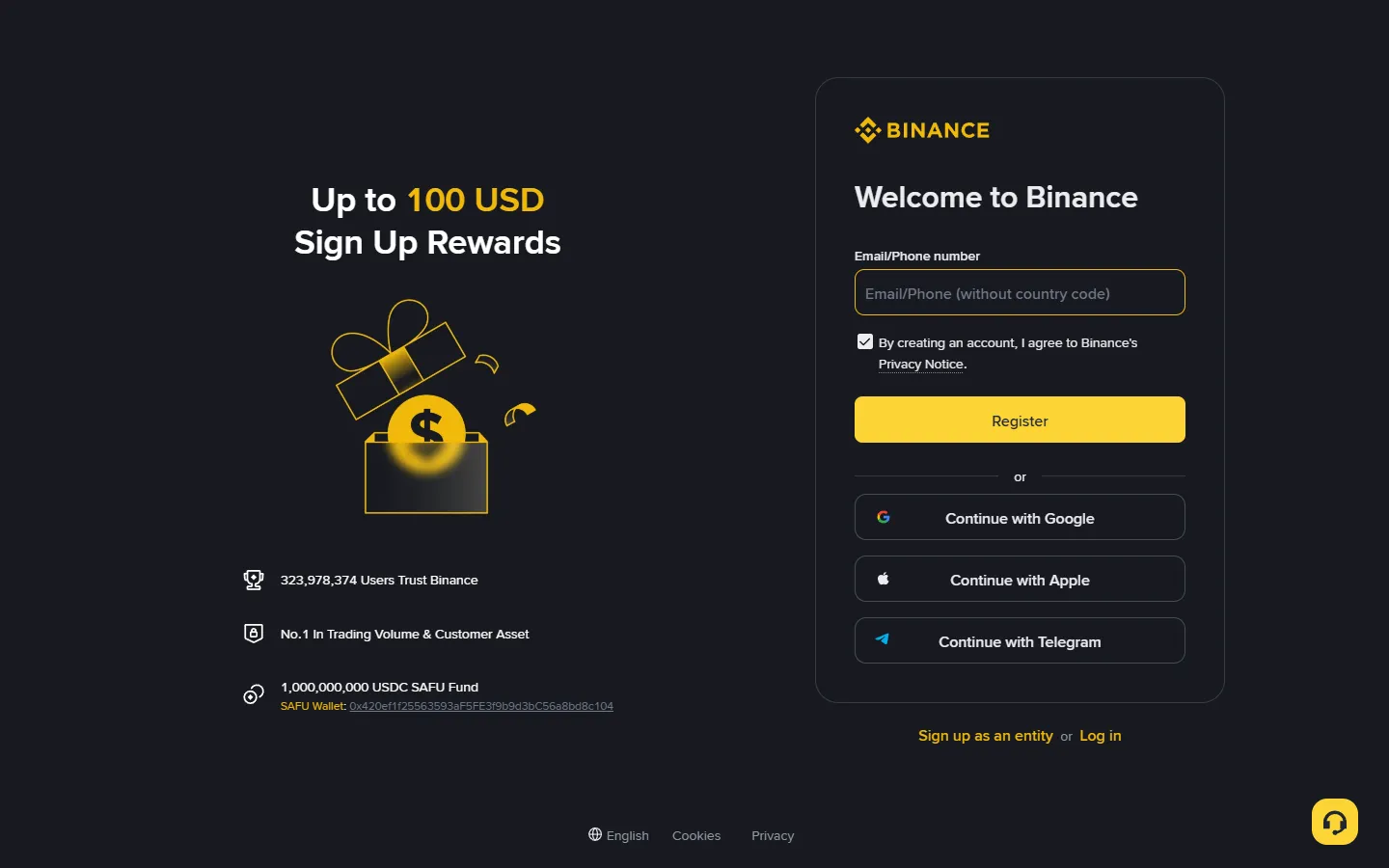
More useful still: SMS and email can usually be switched. There's typically a "use email instead / use SMS instead" option, so pick whichever channel reaches you. This one move sidesteps a whole class of problems: when SMS is being filtered into oblivion, email often lands on the first try. If the sign-up flow itself is still fuzzy, follow the Binance sign-up guide step by step; the KYC verification that comes next is covered there too.
The real fix: an authenticator app
SMS and email share a weakness: both depend on the network, the carrier, and a provider not acting up. The genuinely stable move is to bind an authenticator app (such as Google Authenticator) once your account exists, and let it handle the second factor for logins and withdrawals.
An authenticator's code is generated locally on your phone, rotates every thirty seconds, never rides the SMS channel or the network, so "not receiving it" simply can't happen. One common mix-up to clear up here:
- The sign-up SMS/email code: proves "this phone number / email is yours," a one-time check while creating the account.
- The authenticator (2FA) code: linked afterward in Security settings, then used as the second lock on every login and withdrawal.
They're two different things. If you've already linked an authenticator but its codes keep getting rejected, the most common cause is that your phone's clock is out of sync: set the system time to "automatic / network," since the codes depend on precise time and a few seconds' drift breaks them; less often it is a mis-linked key or a typo. How to set up the authenticator, an anti-phishing code, and a withdrawal whitelist in one sitting is covered in account security setup, well worth doing right after you create the account.
FAQ
I keep not getting the SMS code. Is my account banned?
Almost certainly not. A missing code usually comes down to carrier filtering, signal, or number-type issues, and rarely relates to your account status, since a genuinely restricted account tends to show a clear notice rather than silently withholding codes. Work through the SMS checklist first, and if it still fails, switch to email verification; if you cannot log in yet, open the Binance Help Center and use its 24/7 Chat Support to reach live support.
Can I switch to email verification and skip SMS during sign-up?
Usually yes. The sign-up and login pages generally let you switch between SMS and email, so use whichever one reaches you. If neither arrives, you are probably hitting the same network or filtering problem, so work through the matching checklist in this article.
When the code doesn't come, is it OK to keep tapping Resend?
Not really. Rapid repeat requests can trip rate limits and get you temporarily blocked from sending, which only slows you down. Tap once, wait about a minute, and spend that time checking filters and signal, which beats hammering the button.
My authenticator (2FA) code is rejected. Is that the same as not getting a code?
No, it is a different problem. Authenticator codes are generated locally on your phone and never travel over the network, so a rejected code most often comes down to a clock-sync issue: set your phone's time to automatic or network time and try again, though a mis-linked key or a typo can also cause it. It has nothing to do with the SMS or email codes from sign-up.
My number never gets the SMS. Is there a permanent fix?
Two steps. Short term, ask your carrier to allow verification or international SMS; long term, once the account exists, bind an authenticator app and let it handle the second factor for logins and withdrawals so you no longer depend on the SMS channel. If SMS never works during sign-up, use email to get the account created first.
If SMS won't work, use email; for the long run, move to an authenticator. Most code problems get solved that way. Tried everything and still stuck? Open the Binance Help Center, use "24/7 Chat Support", and tell them which step you're on, which country your number is from, and what you've already tried.