USDT sent on the wrong network is not automatically gone. Whether you get it back comes down to one question, who controls the address it landed on, and you can usually answer that in a few minutes with nothing more than the transaction ID. What you should not do is start messaging every "support" account you can find. The half hour after a transfer goes quiet is when people make their second, bigger mistake.
This is the order we work through ourselves when a transfer does not show up. It holds whether the coins moved between two exchanges, from an exchange to a wallet, or the other way round, and it is the same for USDT on any network.
Step one: find the TxID and read what the chain says
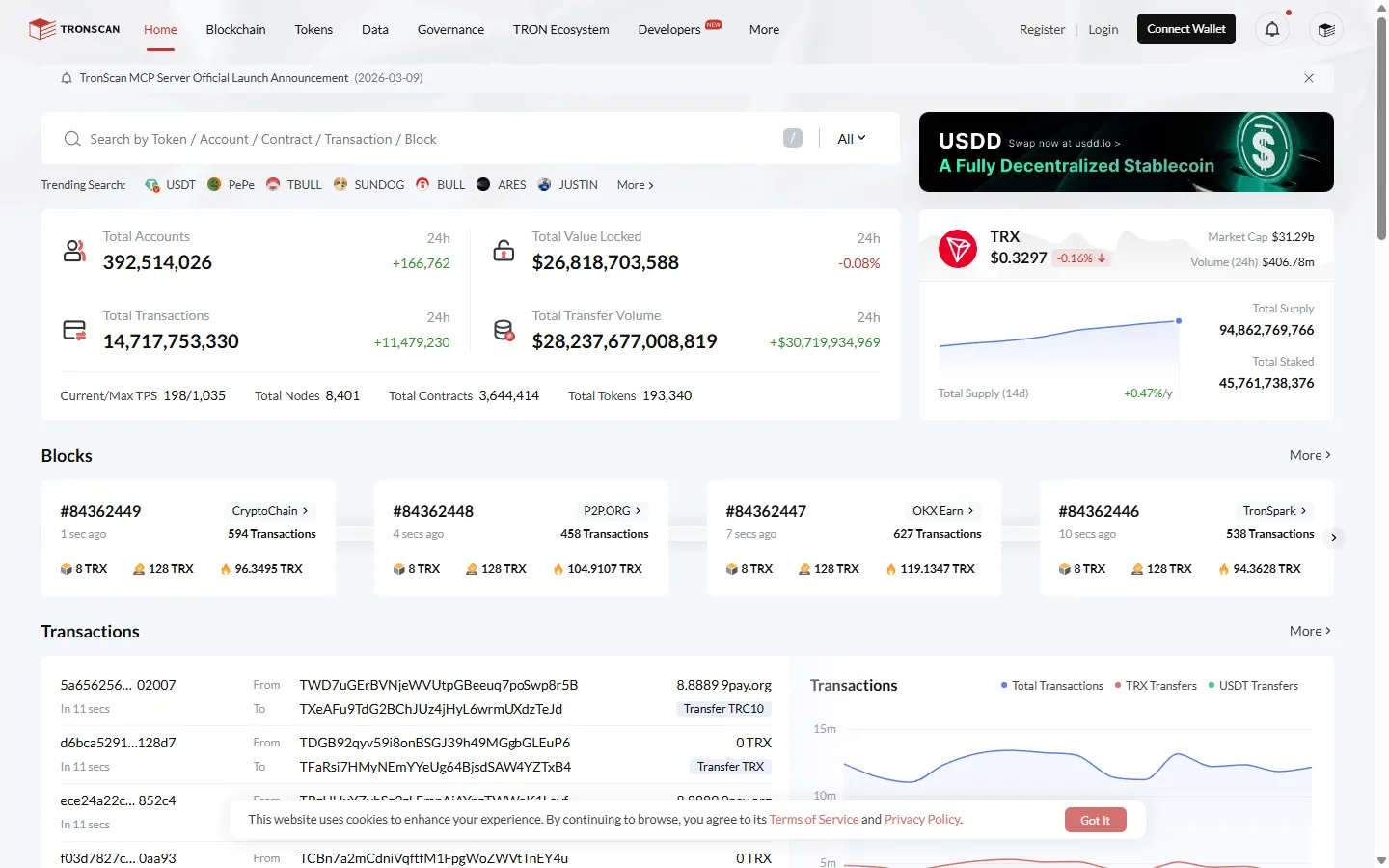
Every on-chain transfer has a transaction ID, usually labeled TxID or transaction hash. Copy it from the withdrawal history on the sending side, paste it into the block explorer for that network, and read two things: whether the transaction exists, and what its status is. For Tron that explorer is Tronscan, for Ethereum it is Etherscan, and BNB Smart Chain has BscScan. Once you have looked, you will be in one of three situations:
| What the explorer shows | What it usually means | Go to |
|---|---|---|
| Success, but the network or receiving address is not the one you meant | Wrong network or wrong address | Case one |
| The transaction exists and its confirmations are still climbing | Normal transit, only slow | Case two |
| Success on the right network and address, yet nothing credited on the platform | Usually a missing memo or tag, sometimes a delay on the receiving side | Case three |
No TxID at all? Then the transfer has not reached the chain yet. Exchanges often hold a withdrawal for an internal review before broadcasting it, so the place to look is the withdrawal status on the sending side, not the explorer and not the receiving platform.
Case one: the USDT went out on the wrong network
USDT is not one token on one chain. Tether issues it on a list of separate blockchains and treats one token on one chain as equal to one on another, as its supported protocols page explains, but those chains do not talk to each other. USDT sent over Tron stays on Tron. It cannot turn up on an Ethereum address because the address happens to look familiar. Tether has also stopped issuing on some older chains, including Omni, EOS, and Algorand, which is one more reason to read the network name every time instead of trusting habit.
In practice, most wrong-network transfers that actually go through happen between chains that share the same address format. Ethereum and BNB Smart Chain both use addresses that start with 0x, so a sending platform will happily accept either, while a Tron address (starting with T) usually gets rejected outright if you pick an Ethereum network. So when someone has sent USDT to the wrong network, the question that decides everything is where the coins are now:
- On an address you control, such as your own self-custody wallet: usually recoverable. If the wallet supports the network the coins went to, or you can import the same recovery phrase into a wallet that does, the balance is sitting there waiting for you. The most common mix-up is ERC20 and BEP20: both use the same address format, and one wallet has the same address on both chains, so switch the wallet's network to BNB Smart Chain (or Ethereum), add the USDT token, and it appears. To move it out, you also need a little of that chain's fee coin (BNB or ETH).
- On an exchange deposit address: it depends on that exchange. Binance's Self-Service Recovery in its Help Center, for example, sorts cases like this: right address and network but never credited, free and about 5 business days; a missing or wrong MEMO, about 7 business days minus a network fee; a coin Binance has not listed, about 30 business days and 20 USDT; withdrawals and deposits to someone else's account are not accepted. Other exchanges usually want a ticket with the TxID and screenshots, may charge a fee, and guarantee nothing.
- On a contract address or an address nobody controls: realistically, the coins are gone.
If the coins sit on an address you control, try the wallet route before you pay anyone anything. If an exchange holds them, open one ticket, attach everything the first time, and then wait. Chasing the same request through chat, email, and social media at once has never sped anything up for us, and it gives impersonators more chances to find you.
Case two: right network, right address, just slow
If the transaction is on the explorer and its confirmation count keeps rising, nothing has gone wrong. The transfer is queued. The usual reasons are a congested network, a low fee chosen by the sender, or a receiving platform that waits for more confirmations before it credits the deposit. The protocol pace varies a lot, roughly a block every 3 seconds on Tron against a slot about every 12 seconds on Ethereum, and each platform shows on its deposit page how many confirmations it needs for that coin and network. What a confirmation actually is, and why the pace differs so much between chains, is explained in our guide to blockchain confirmations.
The correct move here is to wait. A confirmed blockchain transfer has no cancel button, and there is no priority desk that can push it through faster. If someone messages you offering to speed up a deposit for a fee, you are talking to a scammer, and the scripts they use are laid out in our scam prevention guide.
Case three: the chain says success, but nothing was credited
When the explorer shows a successful transfer to the correct address on the correct network and the platform still shows nothing, the most common cause is a missing or wrong memo, also called a tag or destination tag. Coins such as XRP, XLM, and EOS use one shared deposit address for many users, and the memo is how the platform tells which user a deposit belongs to. The coins reached the platform's wallet, but without the memo the system has no way to attach them to your account.
The fix is a support ticket with the TxID, the record from the sending side, and your account details, asking for the deposit to be credited manually. These cases are often resolved, but they take time. Rule out two quieter causes first: the amount may be below the platform's minimum deposit for that coin, or deposits on that network may have been paused for maintenance. Both show on the deposit page. The full deposit flow on Binance, including where the memo field appears, is in our deposit guide.
Why guaranteed recovery is a second scam
No one can reverse a confirmed transaction. Every recovery that works follows the same logic, the coins are sitting on an address whose controller is willing to help. That controller is either you, on your own wallet, or the platform, on its deposit address. There is no third party who can pull coins back from anywhere else.
That is exactly why "recovery agents" and "blockchain forensics teams" that ask for an upfront fee should be treated as a follow-up scam aimed at people who have just lost money. They find victims in comment sections and forums, promise near-certain results, and disappear once the fee is paid. The US Federal Trade Commission keeps a plain-language page on how cryptocurrency scams work that is worth five minutes of your time.
Three habits that make this a non-event
Everything above is damage control. These three habits cost almost nothing and make most of it unnecessary:
- Send a small test first. The first time you send to a new address or over a network you have not used, send a small amount and wait for it to land. One extra network fee buys certainty over the rest.
- Check both ends of the address. After pasting, compare the first and last few characters with the address you were given. It takes five seconds and catches both typos and clipboard malware that swaps addresses.
- Choose the network on purpose. Before you pick from the dropdown, ask one question: which network does the receiving side accept? The cheapest network is the wrong choice if the receiver does not support it. For sending from an exchange, our withdrawal guide walks through the network screen.
Questions people ask
Is USDT sent on the wrong network always lost?
No. It depends on who controls the receiving address. Coins on an address you control can usually be reached with a wallet that supports that network, coins on an exchange address depend on that exchange's recovery policy, and coins sent to a contract address or an address nobody controls are usually unrecoverable.
How long should a USDT deposit take?
It depends on the network and on how many confirmations the receiving platform requires. On a fast network it is often a few minutes; on a congested one it can take much longer. As long as the transaction shows on the explorer and its confirmations keep rising, it is still in transit and needs no action from you.
Can exchange support cancel or reverse a transfer?
No. Once a transaction is confirmed on the blockchain, nobody can reverse it, including the exchange that sent it. Anyone who claims they can cancel or intercept a confirmed transfer is not real support.
Should I pay a recovery service to get my USDT back?
No. Genuine recovery only happens through the person or platform that controls the receiving address. Services that promise to recover crypto in exchange for an upfront fee are a well-known follow-up scam aimed at people who have just lost money.
If a transfer of yours is still missing while you read this: find the TxID, read the explorer, pick your case. Most of the time the answer is either wait or file one ticket, and neither involves paying anyone. If your situation fits none of the three cases, write to mewbyt@mewbyt.com with the network and what the explorer shows, and we will tell you what we would check next.